Features
Ranch Management
Overview For Vendors & Ranch Managers Team Roles & Permissions Live Field Sync FAQ Reviews Support Privacy Portal Login Download App
New · Ranch Profiles

One ranch. One shared feed.
Every guide, hunter, and camera on the same page.

GameSTALKR Ranch Management turns a private hunting journal into a shared workspace for outfitters, ranch managers, and hunting teams. Draw the property once, invite your people, and every sighting, harvest, camera photo, feeder, and area they log flows into one shared feed everyone on the team can see and act on in real time.

Built for shared land, not just shared lists

Your GameSTALKR account already keeps your personal hunting journal. Ranch profiles add a second view — pick which ranch you're logging as, and everything you see and everything you record stays with that ranch and its members.

🏞️

Draw your ranch on the map

Trace the property boundary by clicking points on a satellite map. The outline becomes the ranch's identity and shows up on every member's dashboard.

👥

Invite your whole team by email

Send an emailed invitation — even to people who don't have a GameSTALKR account yet. They sign up, join automatically, and land inside your ranch on their first login.

🔀

One switch, everywhere

Choose your ranch profile from the top of the portal or from Settings in the mobile app. Every list you see and every record you log instantly follows the ranch you picked.

🛡️

Roles that fit your team

Owner, Manager, Member, and Viewer roles decide who can invite people, edit the boundary, log records, or just observe. Personal records stay strictly personal.

📷

Trail cameras & feeders included

Moultrie, VOSKER, Reconyx, and Reveal trail-camera syncs plus feeder refill reminders all follow the active ranch. Set them up once, share with the team.

🔒

Private data stays private

Ranch records live with the ranch. Personal records live with you. Leaving or being removed from a ranch never rearranges what you've logged — it just stops showing up.

For vendors and ranch managers

Ranch creation is reserved for approved ranch owners, ranch managers, and ranch-service vendors — so you can hand off a ready-to-hunt ranch to a customer without their team ever touching setup.

Always know which ranch you're logging as

The ranch profile switcher sits right at the top of the portal, next to your name. Vendors and members alike can jump between Private and any ranch they belong to in one click.

  • Hidden until you belong to at least one ranch — no clutter for solo users.
  • Your last choice sticks across every device and every login.
  • Every list and every new record follows the ranch you have selected.
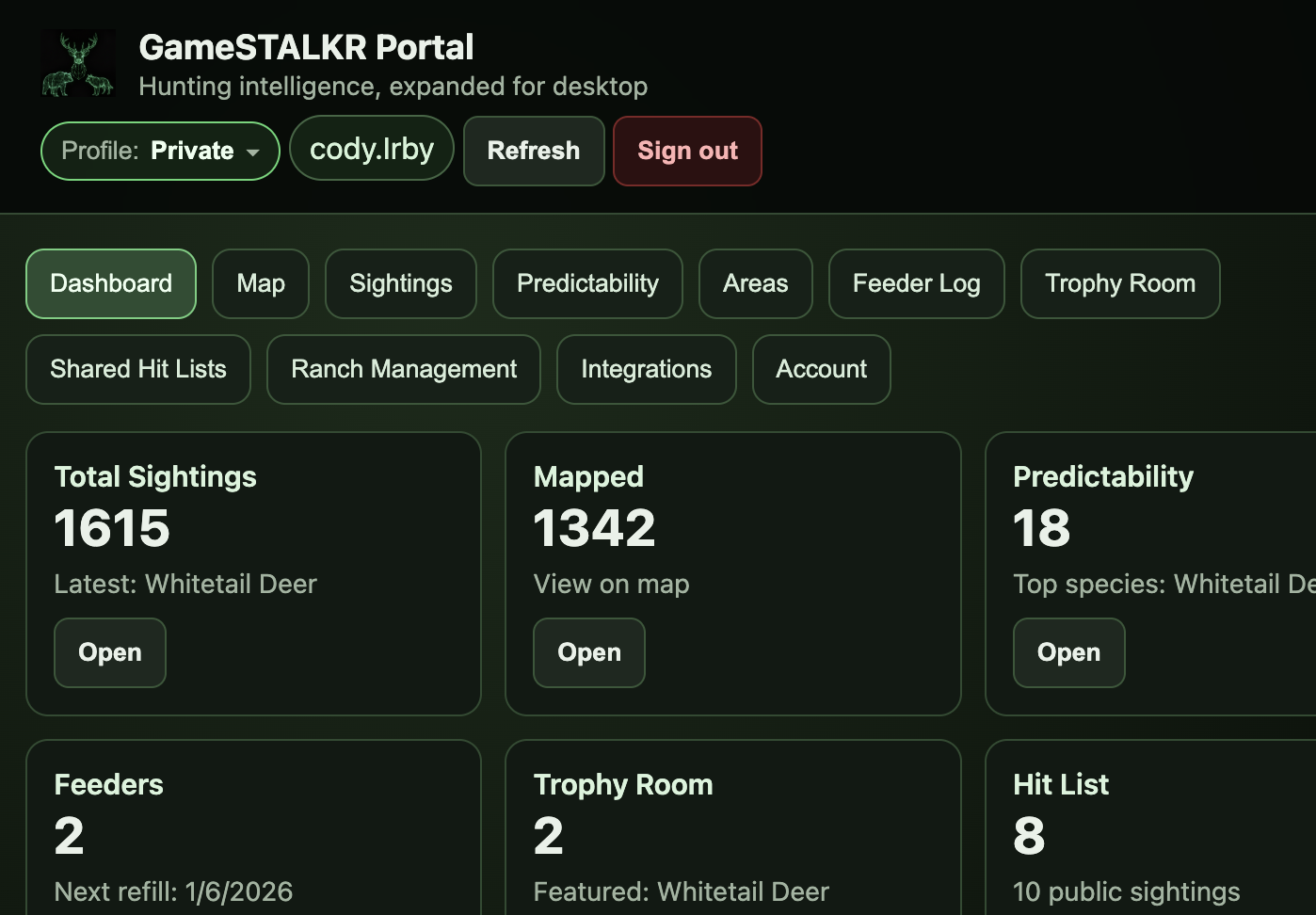
GameSTALKR portal dashboard with the ranch profile switcher visible at the top
Portal dashboard · ranch profile switcher

Ranch Management — your setup workspace

Vendors and ranch managers get a dedicated Ranch Management area in the portal. Create a new ranch, adjust the boundary, review members, and manage invites all from one place.

  • Hand off a ready-to-hunt ranch to your customer with the team already in place.
  • Regular users never see setup screens — no confusion about who owns what.
  • Every ranch shows live member, sighting, area, and feeder counts.
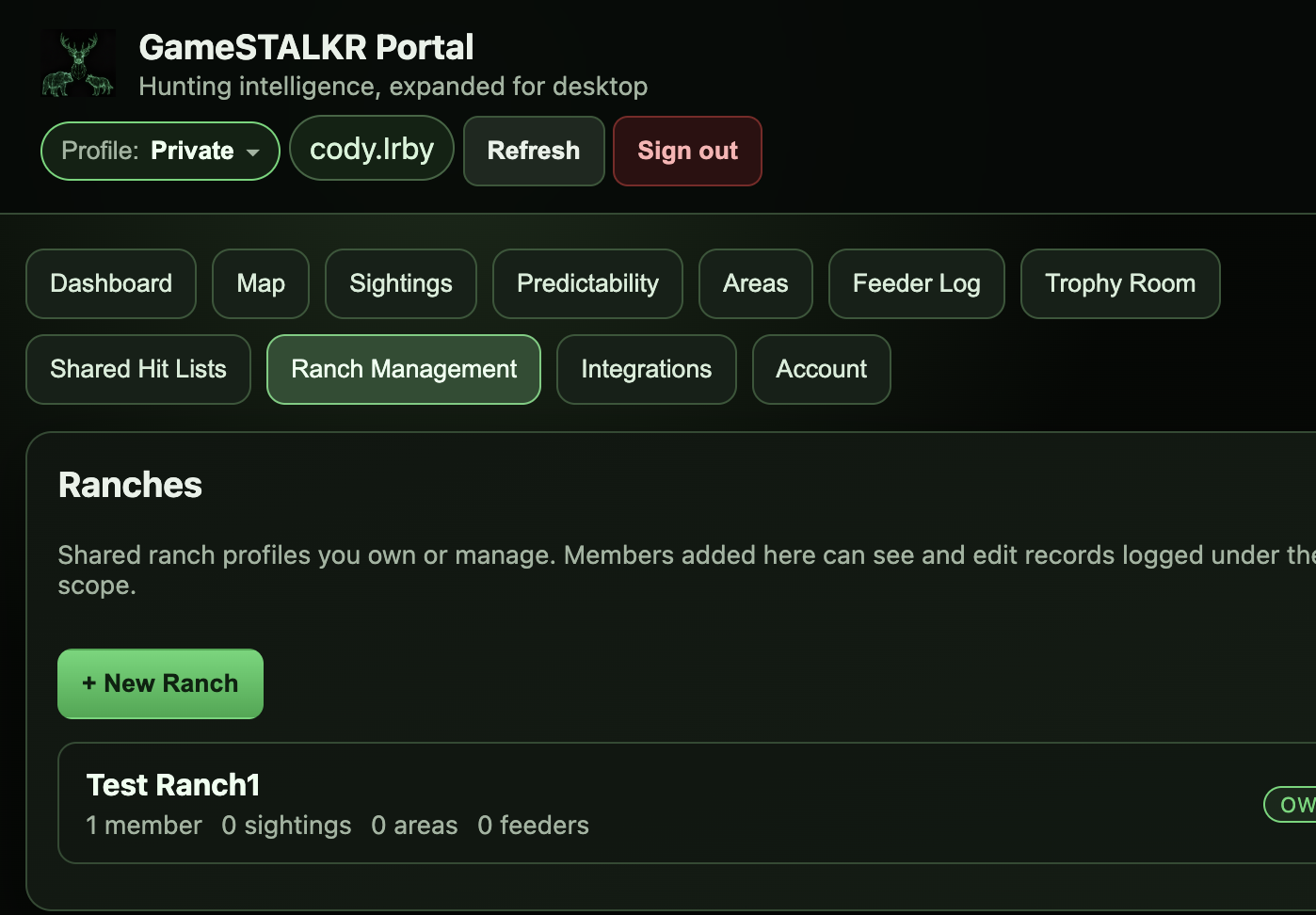
Ranch Management area listing an existing ranch
Ranch Management · my ranches

Trace the property, save it once

Draw the ranch boundary by clicking points around the property on a satellite map. Undo and clear tools let you refine the outline until it fits. The saved boundary becomes the ranch's identity on every member's dashboard.

  • Adjust the boundary any time — your history stays put.
  • Owners and Managers can edit; other roles see it as-is.
  • Familiar satellite imagery so the boundary matches what you see on the ground.
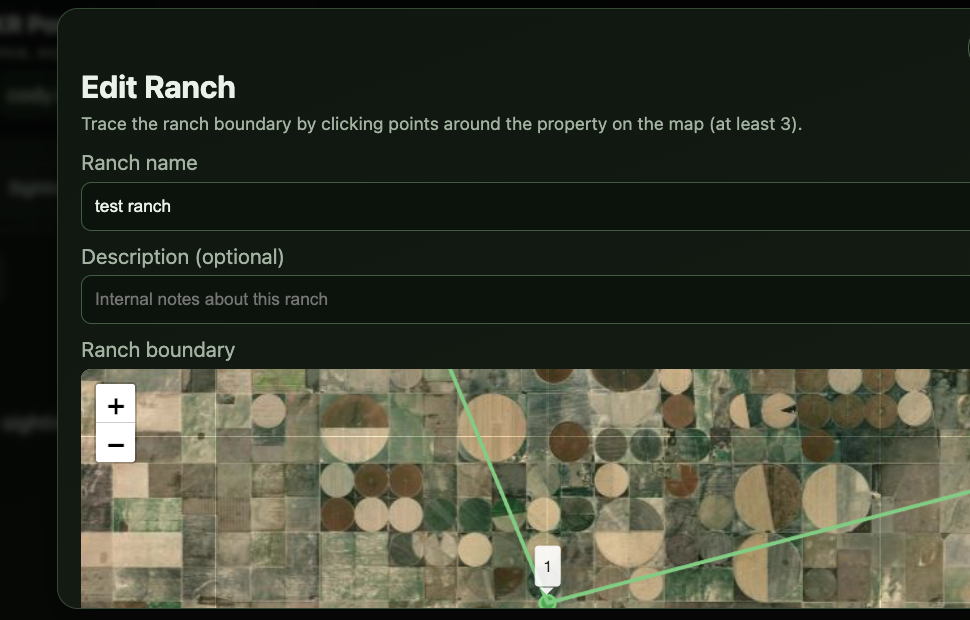
Ranch editor with a satellite map for tracing the property boundary
Ranch editor · satellite boundary drawing

Invite the team, watch them show up

Add members by first name, last name, and email — with an optional phone number. Choose Member, Manager, or Viewer. GameSTALKR emails an invitation that works whether they already have an account or not.

  • Invitations are good for 14 days and can be revoked any time.
  • New users complete a quick signup and are added to the ranch automatically.
  • Existing users accept in one click on either the mobile app or the portal.
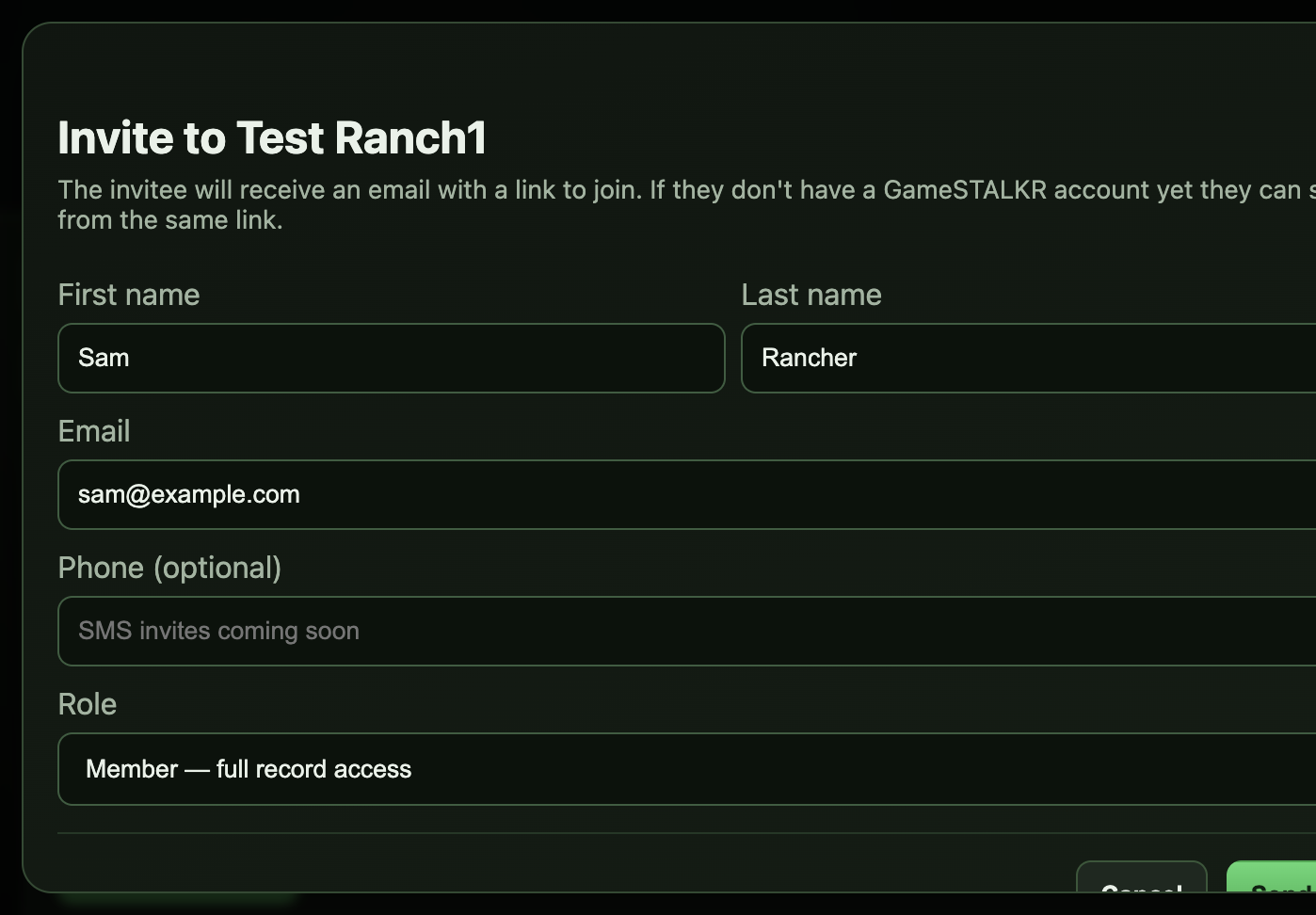
Ranch invitation form with first name, last name, email, phone, and role fields
Invite a member

Your team, at a glance

Owners can promote or demote managers, remove members, and manage the ranch itself. Managers can invite and remove regular members. Members log records; viewers see everything but change nothing.

  • Pending invitations are listed with one-click revoke.
  • Members can leave a ranch on their own any time.
  • Removing a ranch also revokes any invitations still in flight.
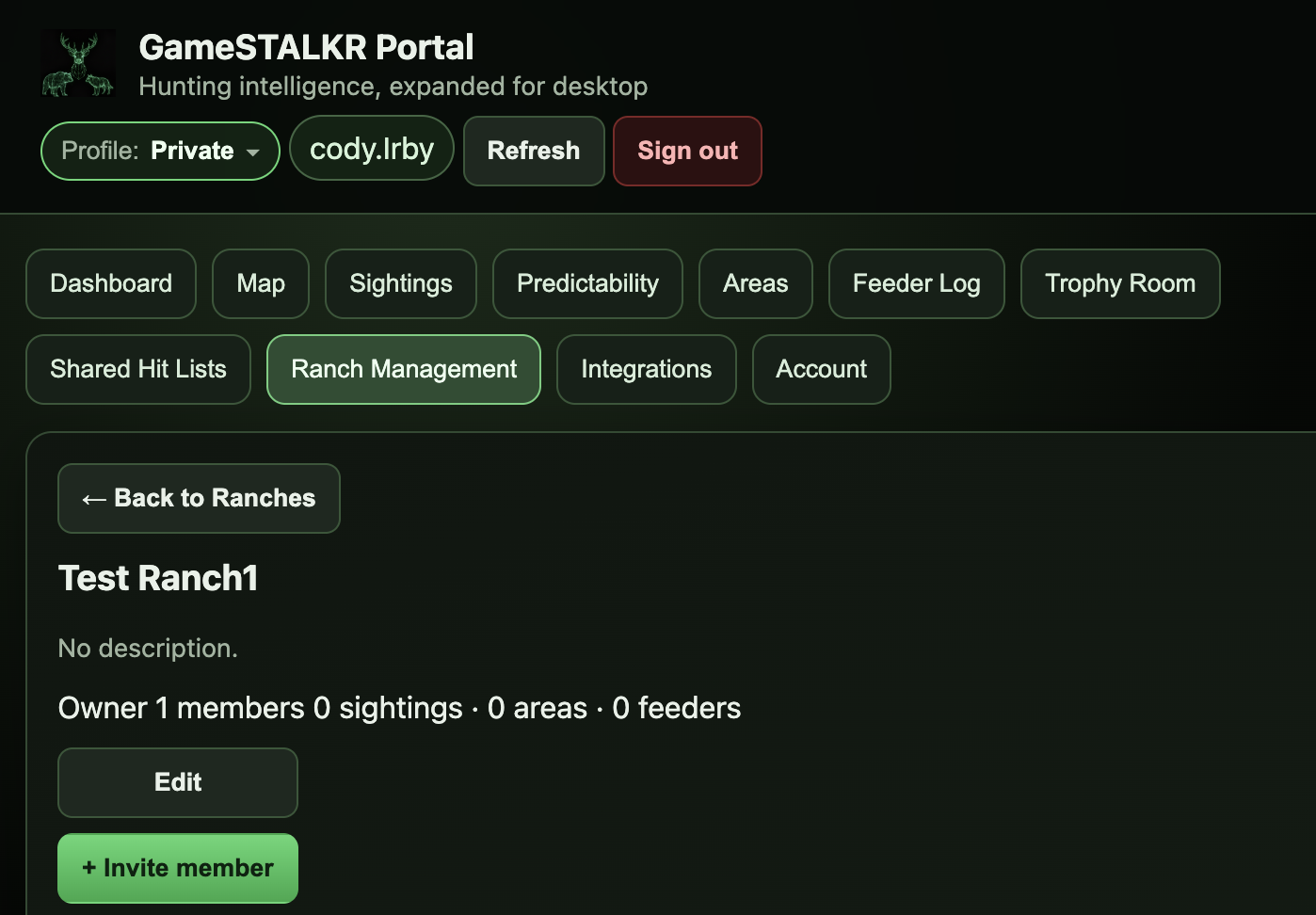
Ranch overview with the member roster and Edit, Invite, and Delete buttons
Ranch overview · members & roles

Team roles & permissions

Ranch permissions are role-based. Assign the right role when you invite; owners can adjust roles later.

Role Manage ranch Invite / remove members Log & edit records Read ranch data
Owner Full control · delete ranch All members, all roles Yes Yes
Manager Rename · edit the boundary Non-owner members Yes Yes
Member Yes · own & ranch records Yes
Viewer Read-only Yes

Live field sync in the mobile app

The same ranch view your team sees in the portal shows up in the mobile app. When a member logs a sighting from the truck, the whole ranch sees it moments later.

Pick your ranch from Settings on the go

Members switch between Private and any ranch they belong to right from the mobile Settings screen. The choice saves to your account, so it's already there the next time you open the app on any device.

  • Hidden entirely if you don't belong to any ranch — solo hunters see no change.
  • Every sighting, harvest, feeder, and area you log goes straight into the ranch feed.
  • A green banner on the home screen makes it clear when you're logging as a ranch, with a one-touch way to switch back to Private.
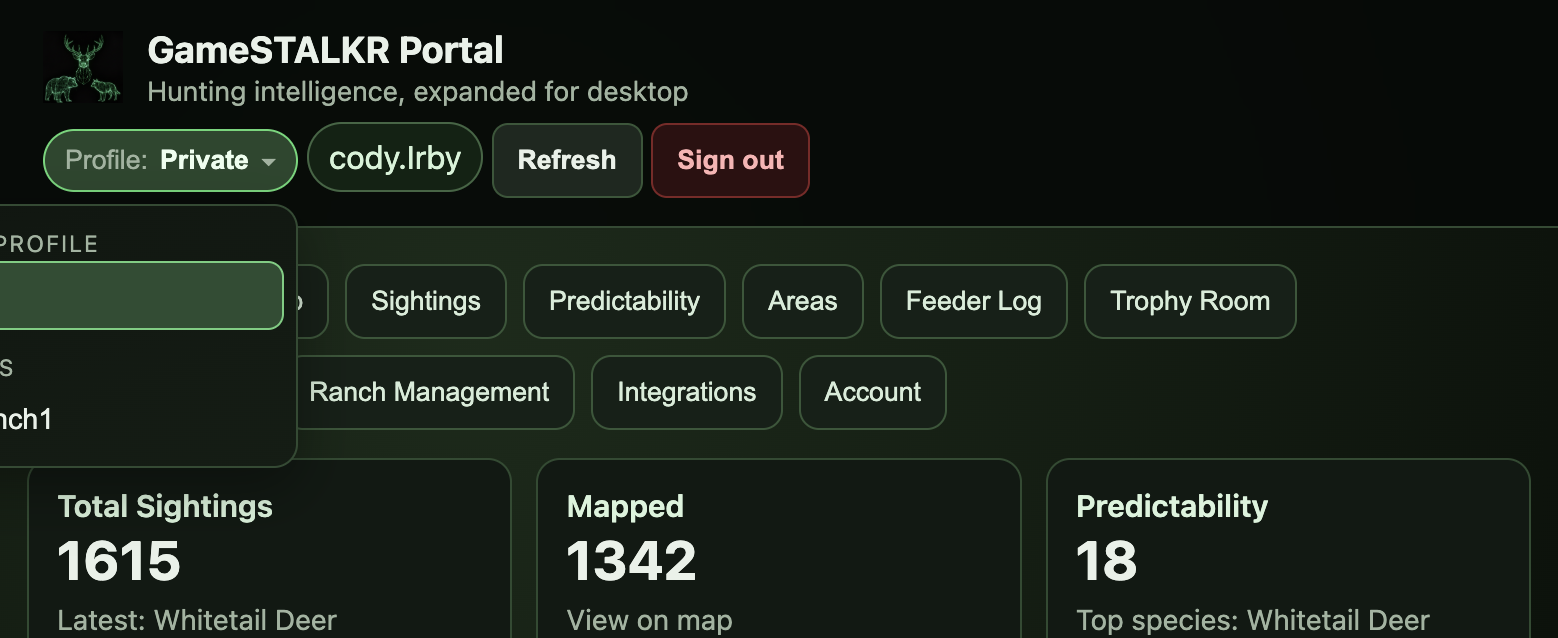
Ranch profile switcher menu open with Private and ranch options
The portal shows the same choices as the mobile Settings screen

Frequently asked questions

Who can create a ranch?

Approved ranch owners, ranch managers, and approved ranch-service vendors can create ranches. This keeps setup in the hands of professionals who know the property, and lets outfitters hand off a fully-configured ranch without their team ever touching the setup screen. End users are invited to ranches — they never have to configure one themselves.

Click here to get a Ranch creator account today →

Do team members need their own GameSTALKR subscription?

Yes. Every user keeps their own subscription or trial. Joining a ranch doesn't change your billing, and leaving a ranch never affects your personal subscription.

What happens to a member's existing records when they join a ranch?

Nothing. Your personal records stay strictly personal and keep showing up when you're set to “Private.” Ranch records only appear after you've switched to the ranch and logged something new.

How do email invitations work?

GameSTALKR emails the invitee a link. If they already have an account and their email matches, they can accept with one click. New users complete a quick signup and are added to the ranch automatically. Invitations are good for 14 days.

Are text-message invites available?

Not yet — today we send invitations by email. Text-message invites are on the roadmap. You can already save a phone number on each invitation so we can add texting later without changing your workflow.

Can I be in multiple ranches?

Yes. Your profile switcher lists every ranch you belong to plus “Private.” Switching between them is instant and safe — no data ever moves between them.

What if I delete a ranch?

Owners can delete a ranch. Deleting hides it from every member and revokes any invitations that haven't been accepted yet. Records that were logged under the ranch are archived rather than erased, so you always have a history to reference.

Ready to bring your ranch onto GameSTALKR?

Talk to us about vendor access, or open the portal and try it with a ranch you already manage.

Open the Portal Contact Sales